This website uses cookies. We use cookies to personalise content and ads, to provide social media features and to analyse our traffic. We also share information about your use of our site with our social media, advertising and analytics partners who may combine it with other information that you’ve provided to them or that they’ve collected from your use of their services.
Cookies are small text files that can be used by websites to make a user's experience more efficient.
The law states that we can store cookies on your device if they are strictly necessary for the operation of this site. For all other types of cookies we need your permission.
This site uses different types of cookies. Some cookies are placed by third party services that appear on our pages.
You can at any time change your consent from the Cookie Declaration on our website.
Learn more about who we are, how you can contact us and how we process personal data in our Privacy Policy.
Cookie Declaration table:
``` * Here is a \*\*reference \*\*on **how the page will look** like: [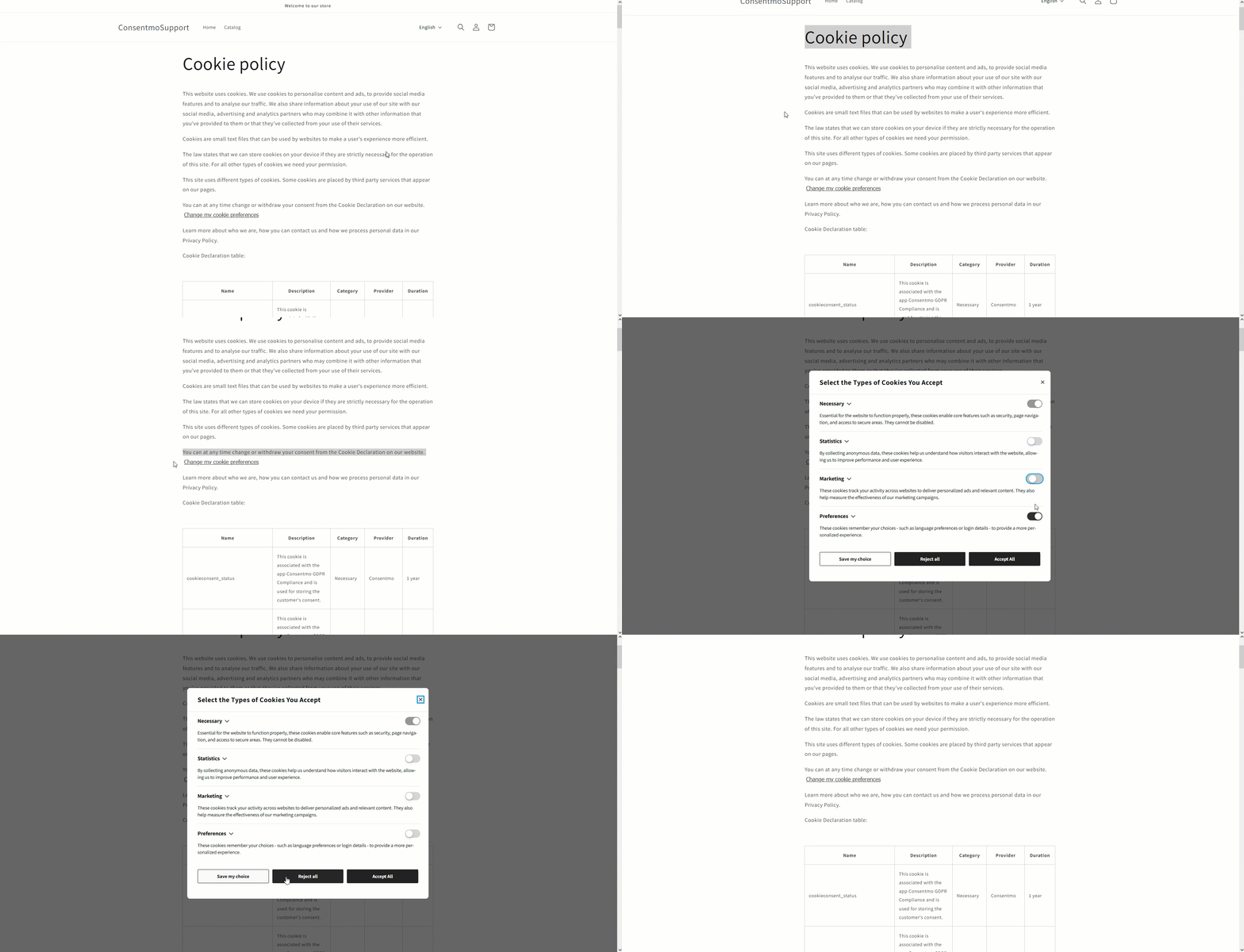](https://gdprstorage.b-cdn.net/faq/gif/cookie-table-preview-consent-change.gif) * As you can also see above, the **page also contains** an **option for the visitor to change their consent** in the page directly. # Cookies with missing data If there are cookies in your table with missing data, you can set their details as well as change the current ones for each cookie by navigating back to the **Cookie manager** tab > **Manage cookies** section and from the list there you can **add the full details on each cookie**. More information regarding this can be found in the following FAQ: * [Tracker manager section - Explained](/en/article/consentmo-tracker-manager-enw1tt/) # Need help? In case you need any assistance, please make sure to reach out to our support team via live chat or at support@consentmo.com