
7. Privacy request pages - Explained
Our app offers complete sets of Privacy Requests pages upon installation.
Depending on the regions you selected when you Enabled the Cookie banner, the following Privacy Requests pages are automatically generated:
- GDPR (EU/EEA + UK) - GDPR Privacy Requests page
- US Laws (Covering all of the US customer privacy laws) - US Privacy Requests page & Do Not Sell or Share My Personal Information page
- PIPEDA (Canada) - Canadian Privacy Rights (PIPEDA & Quebec Law 25) page
- APPI (Japan) - 日本のプライバシー権利(APPI)page
- LGPD (Brazil) - Central de Privacidade (LGPD) page
- APA-NZPA (Australia + New Zealand) - Privacy Rights (Australia & New Zealand) page
- Rest of the world - Personal Data Requests page

Generating missing pages
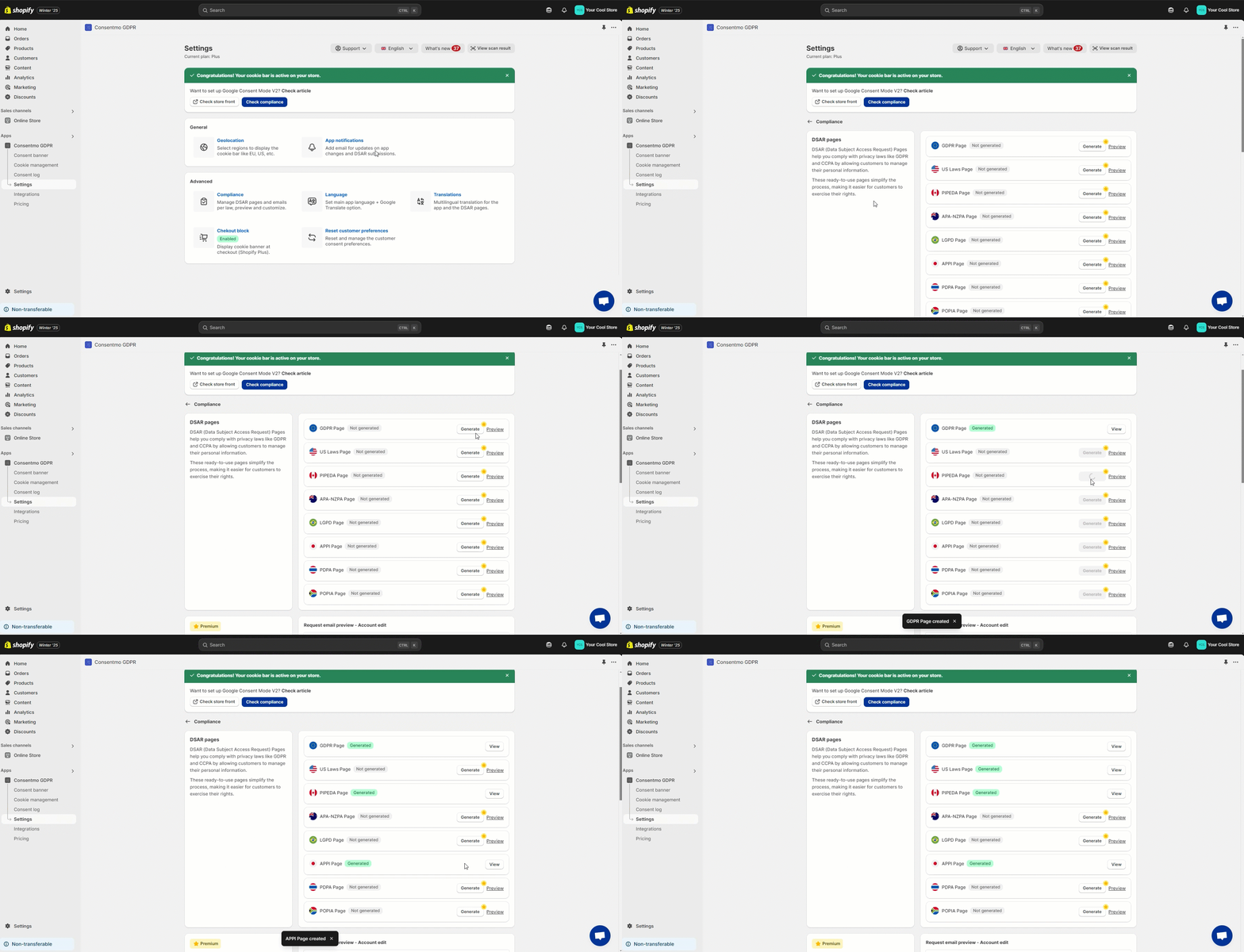
If there is a page that you need, but it is not generated, please follow these steps:
- Go to the Settings tab > Privacy center
- Open the Privacy request pages section
- Generate the pages you need
Purpose
The DSAR pages will give the option for your customers to submit requests for:
- Editing Account Information
- Exporting Order Details
- Manage Privacy Preferences
- Withdraw Consent
- Data Erasure
For your convenience, all these are automated via our app.
- "Do not Sell my data" is the only request that require your action as a store admin.
You will also receive the notification of these requests via email and check the records in the Cookie manager tab > Customer data requests tab.
In order to see how to handle such requests, please follow the guide in our article below:
These are all the necessary types of requests your store needs in order to be compliant with the Customer Privacy Laws.
Privacy contacts
On the page there is also information on the DPO (data protection officer) and company address available for the store users, so they can contact you directly for other data management-related inquiries, like:
- Right to Restrict Processing
- Right to Object
- Right to Lodge a Complaint
More on this can also be checked here:

Appearance
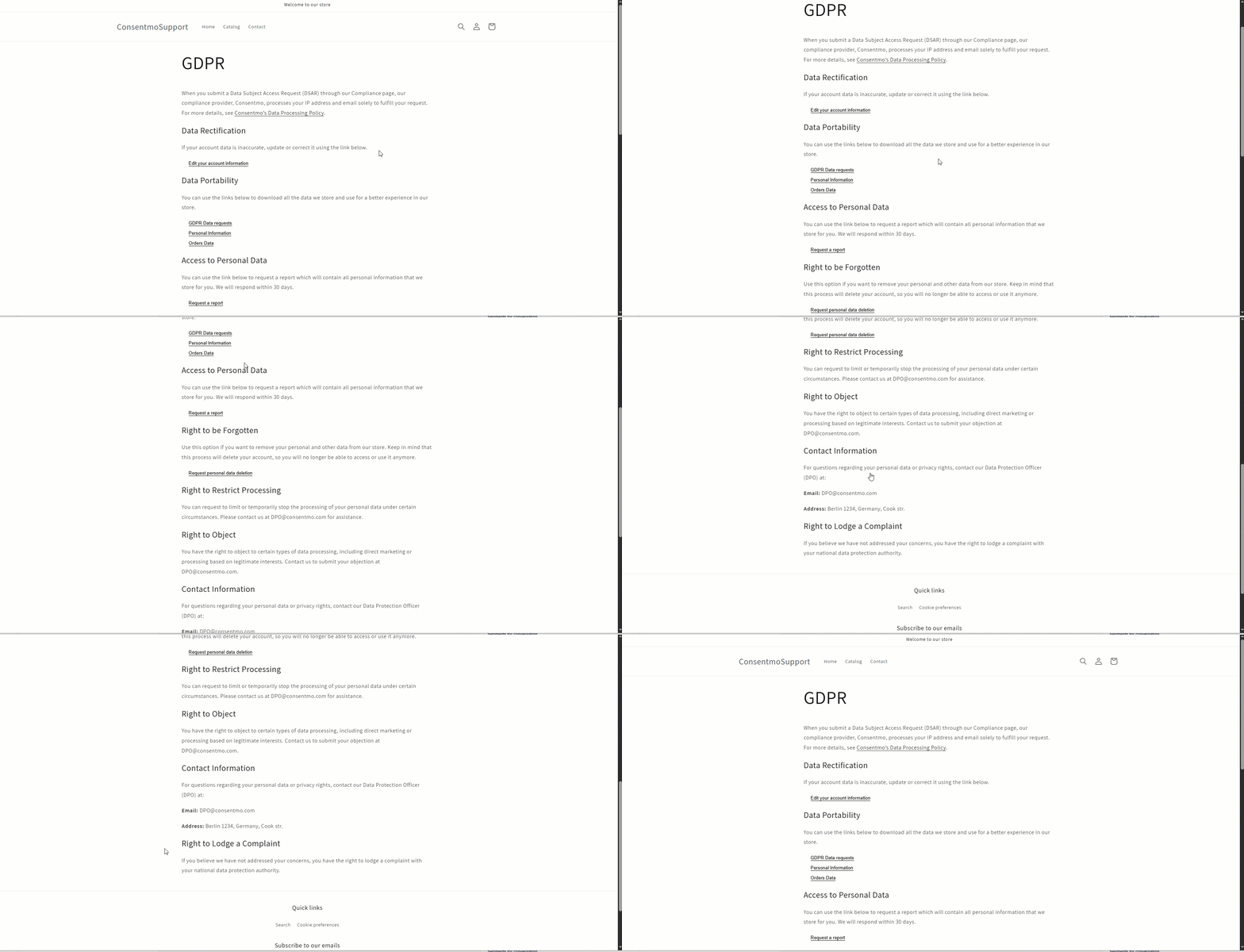
This is how the GDPR Privacy Requests page looks like in your storefront.
- Here is an example of how you can submit a request for Editing Personal Account Information:
- Click on Correct my information
- Enter your email address and click on Submit
- Check the confirmation on the top of the screen for the successfully submitted request
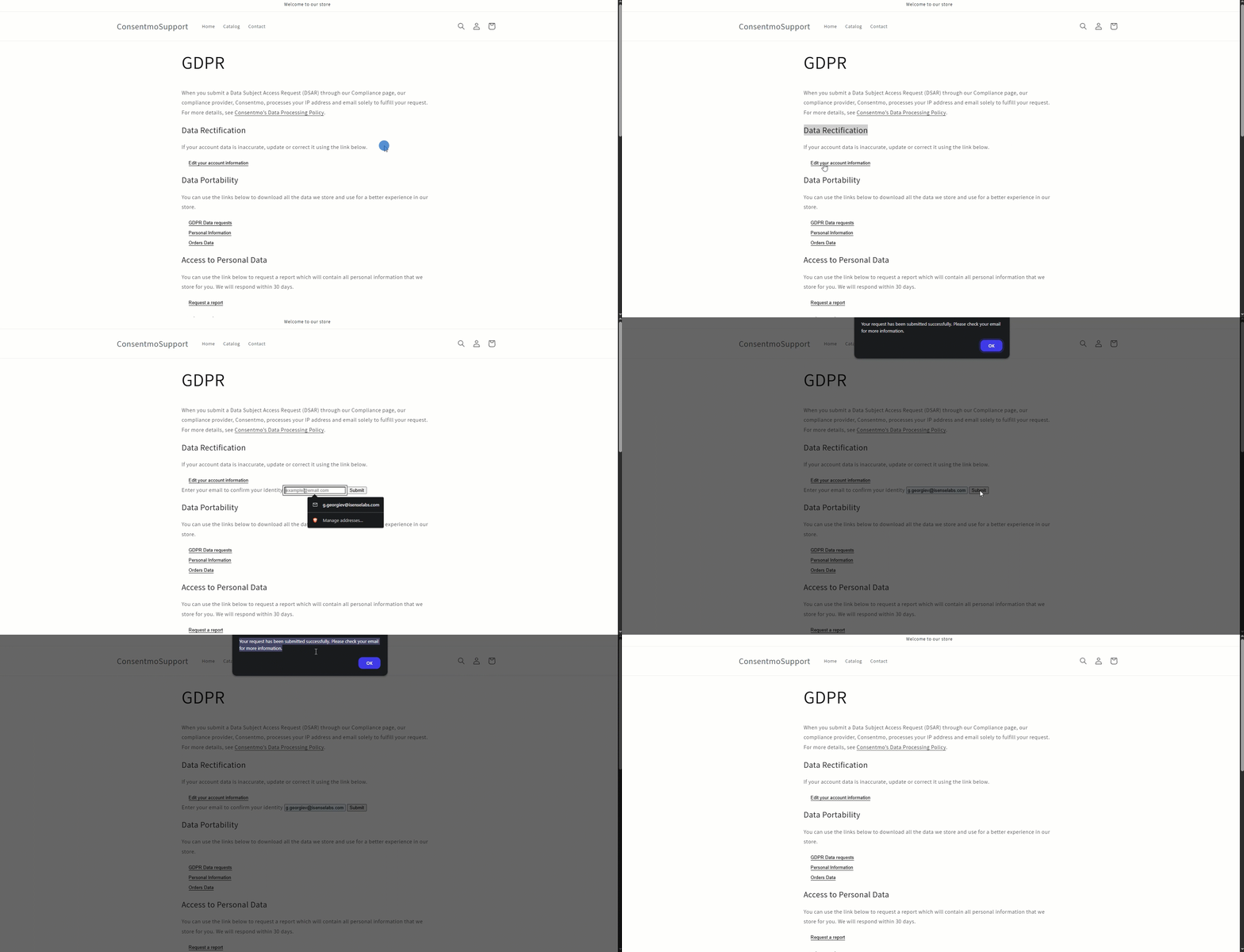
You can follow the same process of submitting requests for the rest of the sections of the Privacy request pages.
Keeping track on the requests
The records on the requests are also kept safe in the Cookie manager tab > Customer data requests section of the app:
There you have multiple options for filtering and managing the records.

Need help?
In case you need any assistance, please make sure to reach out to our support team via live chat or at support@consentmo.com
Updated on: 28/02/2026
Thank you!