
Customizing the Customer data requests - Request Page Settings
Once a Privacy request is submitted, customers receive an automated email confirming their submission - the Privacy request email.
This email includes a link to their Request Page, where they can track their request status and adjust their data preferences.
- Example for the request page from an account edit request:

Where to customize the pages?
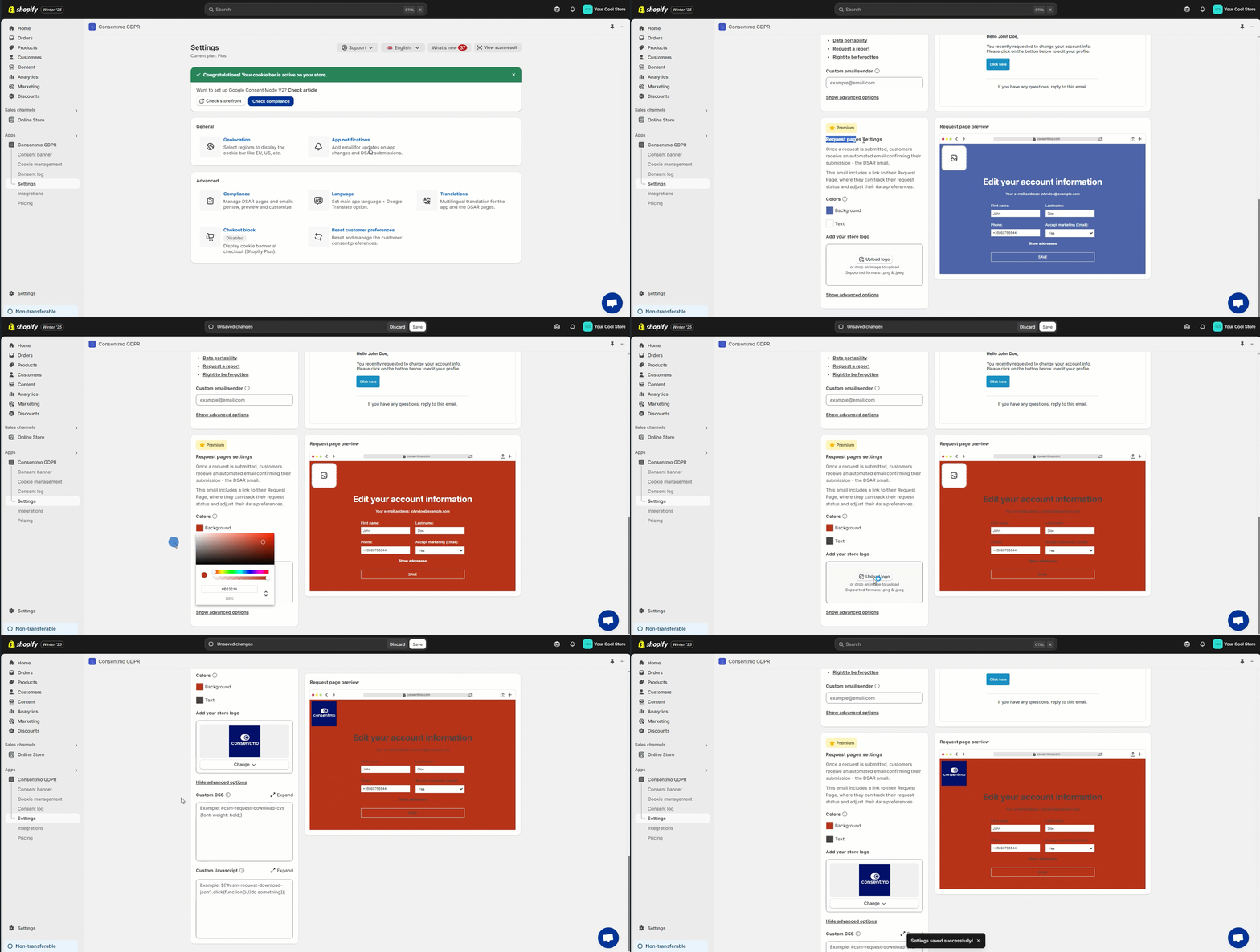
If you want to customize the page template for the Privacy request pages’ request email, you can follow these steps:
- Go to the Settings tab > Privacy Center section
- Open the Design tab
- Go to the *Form design options
What changes can I make?
From the section you can make the following changes:
- Change the text color for the page and the button
- Change the background color. for the page and the button
- Add your store logo
- Add Custom CSS
Who is this available for?
This feature is available only for the paid plans users.
Need help?
For direct support, you can reach out via the live chat or by sending an email to our support team at support@consentmo.com
Updated on: 28/02/2026
Thank you!