
Translating the Privacy request pages
When it comes to ensuring that your online store is accessible and understandable to a global audience, translating Privacy request pages is a crucial step.
These Privacy request pages, generated by our app, contain important legal and privacy information that needs to be clearly communicated to users in their preferred language.
Automated Translation (paid)
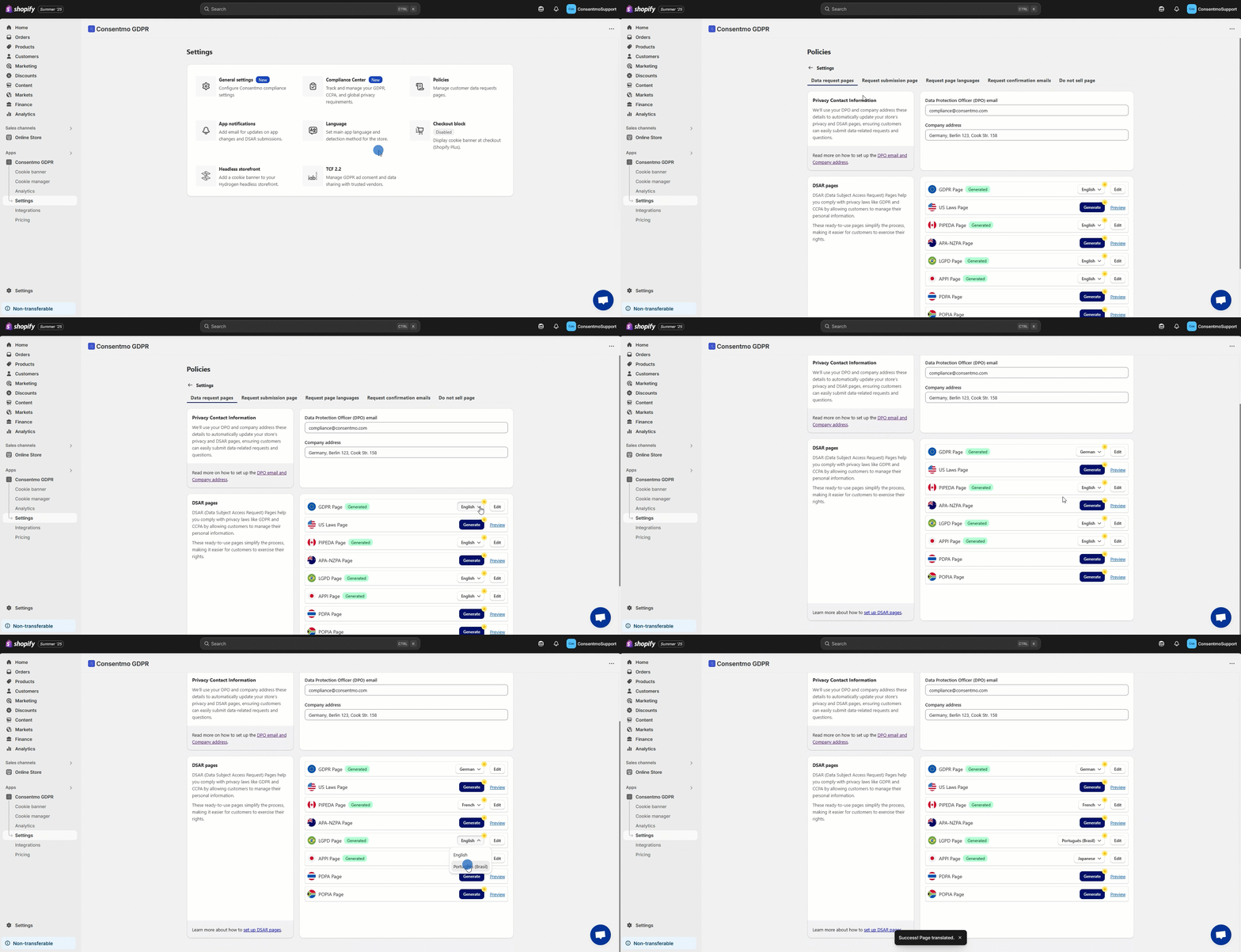
- Navigate to the Settings tab > Privacy Center section
- Open the General tab
- In the Languages section, translate the Privacy request pages that have the option available, as shown below:
Manual Translation (free)
For a more hands-on approach, you can manually translate the content.
You can do this by following the below steps:
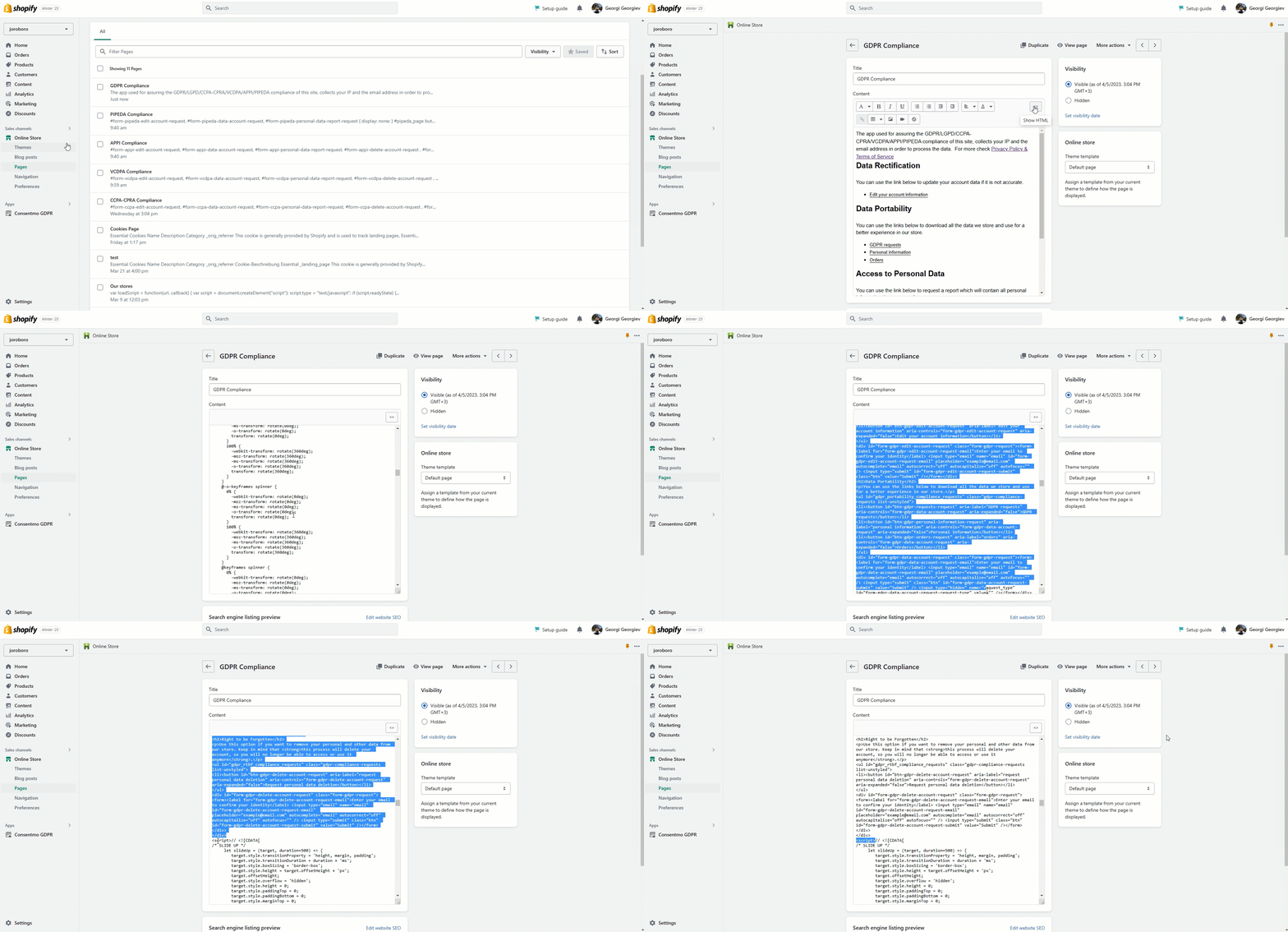
- Access this by going to Online Store > Pages
- Choose the compliance page you wish to edit, and switch to HTML view.
- The translatable content is found between the closing
</style>tag and the opening<script>tag.
Ensure not to change any HTML elements to maintain the functionality of the page.
Important Notes
Why Translate Compliance Pages?
- Enhancing Accessibility: By providing compliance information in multiple languages, you cater to a diverse audience, ensuring that all visitors understand their rights and your store's policies.
- Legal Compliance: Translating these pages can also help in adhering to various regional data protection and privacy laws.
Need help?
In case you need any assistance, please make sure to reach out to our support team via live chat or at support@consentmo.com
Updated on: 28/02/2026
Thank you!