
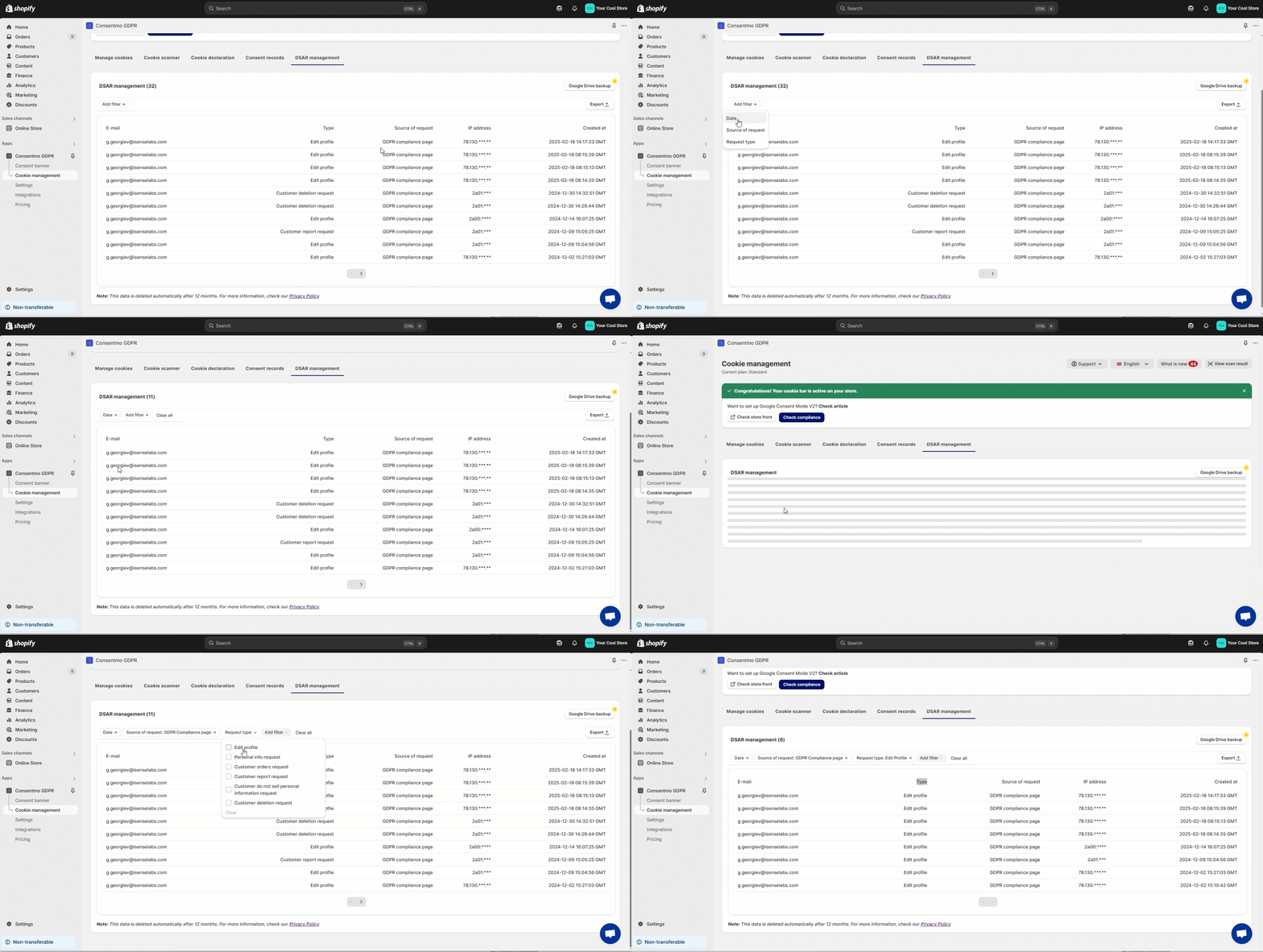
Showing the Requests made from the Privacy request pages
Where to find the records
- Navigate to the Cookie manager tab
- Open the Customer data requests section
- You can also filter the requests by:
- Date - Select a period for which the requests should be shown
- Source of request - which Customer data request page it was sent from
- Request Type - Edit profile, Personal Info Request, Customer Deletion Request etc.
Exporting the data
You can also check how this data, filtered or not, can be exported below:
Do I need to do anything once I receive a notification of request?
In order to see how to handle such requests, please follow the guide in our FAQ sections below:
Need help?
For direct support, you can reach out via the live chat or by sending an email to our support team at support@consentmo.com
Updated on: 28/02/2026
Thank you!